Blog
Blog
 November 12, 2025
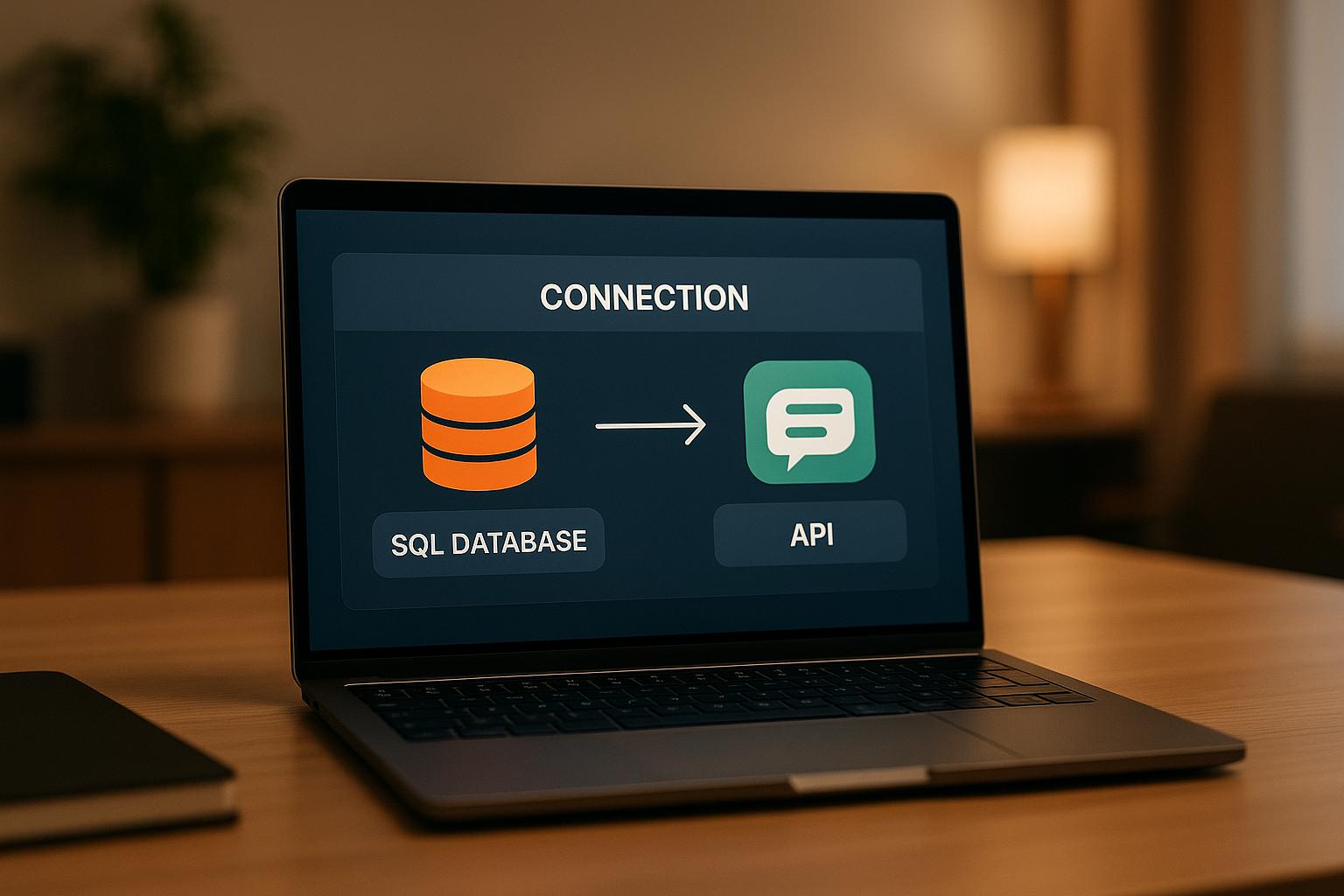
Want to connect SQL Server to ChatGPT for real-time data queries? DreamFactory makes it simple by turning your database into secure REST APIs in minutes. This setup lets ChatGPT fetch and analyze data conversationally, eliminating the need for complex SQL queries or dashboards.
Key Highlights:
- DreamFactory: Automatically generates REST APIs for SQL Server with built-in security features like Role-Based Access Control (RBAC) and API keys.
- SQL Server Integration: Works with on-premises or cloud-hosted databases (e.g., Azure SQL Server).
- ChatGPT Connection: Enables natural language queries for instant insights, like retrieving sales data or generating reports.
- Security: Includes encryption, rate limiting, and detailed logging to safeguard sensitive data.
How It Works:
- Set up DreamFactory to connect to your SQL Server.
- Auto-generate REST APIs for your database tables and stored procedures.
- Secure the APIs with RBAC, API keys, and SSL/TLS encryption.
- Link these APIs to ChatGPT using OpenAI’s function calling.
This integration empowers teams to access business data quickly and securely, using simple conversational prompts. Ready to simplify data interaction? Let’s dive into the details.
No Code API Tutorial for SQL Server: Instantly Generate Secure SQL Server REST APIs

Setting Up DreamFactory for SQL Server REST API Creation
With your requirements ready, it’s time to set up DreamFactory to connect with your SQL Server database. This involves three key steps: adding SQL Server as a data source, letting DreamFactory generate REST APIs for you, and configuring security to safeguard your data.
Adding SQL Server as a Data Source
Start by logging into the DreamFactory admin console and navigating to the Services tab. Click Create, then select SQL Server from the available database options. This will open a configuration wizard where you’ll input your connection details.
Here’s what you’ll need:
- Server hostname: This could be something like
sqlserver.company.com,192.168.1.100, or for Azure SQL Server,yourserver.database.windows.net. - Database name: The name of your database.
- Username and password: Credentials for accessing your database.
- Port: Typically set to
1433unless your SQL Server uses a custom port.
You’ll also see an API Doc Namespace field. This is where you can customize how your API endpoints appear in the documentation. For example, entering "sales" will make your API endpoints accessible at /api/v2/sales/ instead of the default service name, which is especially helpful for developers using these APIs.
Before saving, test the connection to ensure DreamFactory can communicate with your SQL Server. If the test fails, double-check your credentials and confirm that your SQL Server allows remote connections and has the necessary firewall rules in place. Once the connection test succeeds, save your configuration. DreamFactory will map your database schema and automatically create REST endpoints for all tables, views, and stored procedures.
Creating REST APIs Automatically
After saving your SQL Server configuration, DreamFactory generates REST APIs for your database instantly. Without writing a single line of code, every table in your database gets its own standardized RESTful endpoints.
For example, if you have a table called Customers, you’ll have endpoints like:
- GET
/api/v2/yourservice/Customersto retrieve records. - POST
/api/v2/yourservice/Customersto add new entries. - PUT
/api/v2/yourservice/Customers/{id}to update existing records.
These APIs follow RESTful conventions and support all standard HTTP verbs (GET, POST, PUT, PATCH, DELETE). Additionally, DreamFactory includes interactive Swagger documentation, allowing you to test API calls directly from the admin console.
The API Docs section is where you can explore the endpoints DreamFactory has created. It provides examples for common queries, such as filtering results (?filter=region='Northeast'), selecting specific fields (?fields=name,email,phone), or sorting data (?order=created_date DESC). These features will be particularly useful when ChatGPT needs to retrieve precise information from your SQL Server.
Stored procedures also get their own REST endpoints. For instance, a stored procedure called GetSalesByRegion will be accessible at POST /api/v2/yourservice/_proc/GetSalesByRegion, with parameters passed in the request body. This allows ChatGPT to perform complex operations beyond basic table queries.
Setting Up Connection Security
Before granting ChatGPT access to your SQL Server, it’s crucial to configure DreamFactory’s security features to protect your data.
- Create a Role for ChatGPT: Go to the Roles section in the admin console and click Create. Name the role something descriptive like "ChatGPT-SQLServer-Access." Assign specific permissions at the service, endpoint, and even column level. For example, you might allow GET access to customer names and contact details while restricting sensitive fields like Social Security numbers or payment information.
- Role-Based Access Control (RBAC): Use RBAC to define exactly what ChatGPT can and cannot access. For instance, you can give read-only access to sales data while blocking access to payroll tables or allow specific stored procedures while restricting direct table modifications.
-
Generate an API Key: Create a new app in the Apps section and assign it the ChatGPT role. This will generate an API key, which you’ll need to include in request headers (
X-DreamFactory-API-Key) when setting up the integration with ChatGPT. - Rate Limiting: Set limits on the number of requests the ChatGPT role can make. For example, you might allow up to 1,000 requests per hour to prevent overloading your database or handling accidental request loops.
- Enable SSL/TLS Encryption: Ensure your DreamFactory instance uses HTTPS. This encrypts all API communications with TLS 1.2 or higher, keeping your data secure as it moves between ChatGPT and your SQL Server.
- IP Allowlisting: If required, restrict access to specific IP addresses or ranges by configuring allowlists in the role settings. This adds an extra layer of security by ensuring only trusted sources can interact with your APIs.
DreamFactory also logs all API activity, creating detailed audit trails. These logs help with troubleshooting, optimizing query performance, and ensuring compliance with regulations like SOX or HIPAA.
With your SQL Server now securely accessible through REST APIs, you’re ready to connect these endpoints with ChatGPT for seamless, real-time data interactions.
Connecting DreamFactory APIs with ChatGPT
With your SQL Server now accessible via secure REST APIs, the next step is to link ChatGPT to your DreamFactory endpoints. This setup enables ChatGPT to act as a conversational interface for your database, allowing users to query data and receive real-time responses formatted to match U.S. business standards. This integration builds on the API security measures you’ve already put in place, ensuring secure data exchanges throughout the process.
Linking ChatGPT to DreamFactory APIs
ChatGPT connects to DreamFactory using OpenAI's function calling feature, which allows it to make HTTP requests to external APIs. To set this up, you’ll need to define DreamFactory endpoints as functions within ChatGPT. For instance, you could map the 'Customers' table API to a getCustomers function.
Each function definition should include the API endpoint URL, required headers, and parameter descriptions. For example, if a user asks, "Show me customers from Texas", ChatGPT will call the getCustomers function with the appropriate filter parameter: ?filter=state='TX'.
For more complex use cases, you can define multiple functions to correspond to different endpoints. For instance:
- A
getSalesDatafunction could call/api/v2/sales/Orders. - A
getInventoryfunction might access/api/v2/inventory/Products.
ChatGPT will determine which function to use based on the context of the user’s query. Don’t forget to include the necessary authentication headers in all function calls, as configured earlier.
If your database relies on stored procedures, treat them as separate functions. For example, a stored procedure named GetQuarterlySales would require a function that sends a POST request to /api/v2/sales/_proc/GetQuarterlySales, passing the required parameters in the request body.
Formatting Data for U.S. Standards
Once the endpoints are connected, ensure the returned data is formatted according to U.S. conventions. Fortunately, DreamFactory allows you to configure SQL functions to handle this directly.
- Currency formatting: Use SQL functions to display monetary values in the U.S. format. For instance, configure DreamFactory to apply
FORMAT({price}, 'C', 'en-US')to show prices like $1,234.56. - Date formatting: Adjust date fields to the MM/dd/yyyy format by applying
FORMAT({order_date}, 'MM/dd/yyyy')instead of the default SQL Server datetime format. - Number formatting: Add thousand separators for large numbers using
FORMAT({quantity}, 'N0')(e.g., 1,500). For financial figures with decimal precision, useFORMAT({revenue}, 'N2').
These formatting rules are embedded directly into the SELECT queries sent by DreamFactory, ensuring data is transformed in real time without impacting performance. To ensure proper SQL generation, enclose field names in curly braces, like {field_name}.
- Temperature and measurement conversions: If your database stores temperatures in Celsius but you need Fahrenheit for U.S. users, you can configure a function like
({temperature} * 9.0 / 5.0) + 32to handle the conversion automatically.
These configurations persist across all API calls, ensuring consistent data presentation whether ChatGPT retrieves a single record or processes a bulk query.
Managing Errors and Authentication
Building on your earlier security framework, robust error handling and secure authentication are essential for reliable communication between ChatGPT and your SQL Server. DreamFactory’s Model Context Protocol (MCP) acts as a secure AI Data Gateway, ensuring data remains protected throughout the integration.
- Authentication: DreamFactory’s enterprise-grade security features, like API key enforcement, OAuth authentication, and Role-Based Access Control (RBAC), ensure that sensitive credentials (e.g., database login details) stay server-side and are never exposed to ChatGPT.
- Error handling: DreamFactory automatically protects against SQL injection by using parameterized queries and input validation. When ChatGPT sends malformed requests or attempts unauthorized access, DreamFactory responds with standard HTTP error codes. Configure ChatGPT to interpret these codes and provide user-friendly messages, such as "I'm experiencing high demand right now. Please try again later" for rate limit errors (HTTP 429).
- Audit logging: All API activity is logged, making it easier to troubleshoot issues like authentication errors, malformed queries, or connectivity problems. Logs include details like request headers, parameters, and response codes.
To further enhance security:
- Keep DreamFactory behind a firewall and use VPNs or private networking.
- Enable IP whitelisting for additional protection.
- Apply the principle of least privilege, granting access only to the data ChatGPT needs. Regularly review and update permissions to adapt to changing requirements.
Advanced Setup and Best Practices
Once your SQL Server-to-ChatGPT integration is up and running, there are several advanced techniques you can employ to improve performance, tighten security, and ensure scalability. These methods are especially useful for handling complex business needs while staying compliant with U.S. regulations. Let’s dive into some advanced ways to fine-tune your integration for better control and efficiency.
Using Server-Side Scripts for Custom Logic
DreamFactory's server-side scripting tools let you add custom logic to your API endpoints, ensuring that business rules are enforced before data reaches ChatGPT. These scripts support multiple programming languages, including Node.js, Python, PHP, and V8JS.
By using server-side scripts, you can validate and transform data, apply business rules, and even mask sensitive information like Personally Identifiable Information (PII). For example, you could adjust pricing calculations based on customer tiers, validate complex workflows, or add custom authorization checks beyond standard Role-Based Access Control (RBAC).
A key use case is data masking and privacy protection. For instance, before sending data to ChatGPT, your script can automatically mask Social Security numbers, showing only the last four digits. This ensures sensitive data stays secure while still giving ChatGPT enough context to generate useful responses. Additionally, all agent interactions can be logged automatically, creating a detailed audit trail for compliance and troubleshooting.
Combining Data from Multiple Sources
One of DreamFactory's standout features is its ability to connect to more than 20 different data sources. This allows you to create unified responses by combining data from SQL Server with other databases, APIs, and cloud services. Instead of being limited to a single database, ChatGPT can act as a powerful business intelligence tool.
Imagine this scenario: customer data is stored in SQL Server, order history is in MongoDB, and inventory details are in a Snowflake data warehouse. Server-side scripts can fetch data from these sources, aggregate it, and present ChatGPT with a complete customer profile in one response.
Custom scripts can also perform application-level joins between different data sources. For example, you could link customer records from SQL Server with shipping data from PostgreSQL and payment details from MySQL.
Real-time data enrichment is another game-changer. Scripts can pull in live data - like stock prices, weather updates, or social media metrics - to enhance database records. This extra layer of context helps ChatGPT provide responses that are both accurate and relevant.
To ensure performance stays optimal when combining multiple data sources, use caching, parallel processing, and data pagination. These techniques not only improve speed but also help maintain compliance and scalability.
Meeting Compliance and Scalability Needs
For U.S.-based organizations, strict regulatory standards like GDPR and HIPAA are non-negotiable. DreamFactory includes built-in tools to help you meet these requirements while keeping your ChatGPT integration secure and auditable.
Key practices include detailed logging, advanced RBAC with time-based restrictions, and scalable connection pooling. Every ChatGPT query, database interaction, and data transformation is logged with timestamps, user IDs, and response details. This creates a clear audit trail for regulatory compliance and helps identify potential security concerns.
When planning for scalability, focus on both horizontal and vertical strategies. DreamFactory supports deployment across Kubernetes clusters, allowing you to scale API processing power based on ChatGPT query volume. Load balancing across multiple DreamFactory instances ensures smooth performance even during high-traffic periods.
Connection pooling is another essential strategy for managing increased ChatGPT usage. By monitoring API rate limits and implementing intelligent throttling, you can prioritize critical business queries over routine ones.
To maintain business continuity, set up disaster recovery and backup systems. Automate backups of your DreamFactory configurations, including API definitions, security settings, and server-side scripts. Deploy instances in multiple data centers for geographic redundancy, so your system can failover seamlessly if one location goes offline.
Lastly, consider adopting API versioning strategies. This allows you to roll out updates and improvements to your ChatGPT integration gradually, without disrupting existing functionality. If something goes wrong, you’ll have the option to roll back changes quickly.
Summary and Key Points
Connecting SQL Server with ChatGPT through DreamFactory allows for real-time, natural-language data queries.
With DreamFactory, you can deploy the platform in various environments - on-premises, private cloud, or hybrid setups - and connect SQL Server as a data source. This setup automatically generates secure, ready-to-use REST APIs. Using these APIs, you can define endpoints that expose carefully vetted, parameterized SQL queries or stored procedures. These endpoints are further secured with server-side scripts and role-based access control (RBAC) to restrict data access. Additional safeguards like API key protection, OAuth, rate limiting, and query timeouts ensure controlled and secure real-time access to your data.
Some major advantages include instant API creation without the need for coding, robust security measures, and automatic compliance with GDPR and HIPAA standards - key for industries with strict regulations. Moreover, auto-generated Swagger documentation keeps your APIs well-organized and easy to manage.
For U.S.-based businesses, DreamFactory aligns with American standards, such as formatting currency with dollar signs, using MM/DD/YYYY for dates, and incorporating imperial measurements. The platform is highly scalable, supporting horizontal scaling across Kubernetes clusters and unlimited API creation. This flexibility makes it suitable for businesses of all sizes, from small startups to large enterprises.
FAQs
How does DreamFactory keep data secure when linking SQL Server with ChatGPT?
DreamFactory emphasizes data security through measures like parameterized queries and input validation, which are designed to defend against SQL injection attacks. To control access, it employs role-based access control (RBAC), ensuring users can only view data they are permitted to access.
Other security features include API key enforcement to authenticate requests and audit logging to monitor all activities, creating a clear record of data access and usage. Together, these precautions maintain secure and dependable interactions between your SQL Server and ChatGPT.
How do I set up DreamFactory to create REST APIs for SQL Server automatically?
To get DreamFactory to automatically generate REST APIs for your SQL Server database, here’s what you need to do:
- Log in to the DreamFactory admin interface.
- Navigate to the Services section and click on Create.
- Select SQL Server as the service type.
- Fill in the required fields, including a name, label, and description for your service.
- Enter your database connection details, such as the host, port, database name, and credentials.
- Save your settings to let DreamFactory generate the APIs.
After setup, DreamFactory will produce secure REST APIs for your SQL Server database, making it easy to integrate with ChatGPT for real-time data interaction.
Can DreamFactory format data to meet U.S. standards when connecting SQL Server with ChatGPT?
DreamFactory is capable of aligning data formatting with U.S. standards when integrating with ChatGPT. This means it can handle currency (e.g., $1,234.56), dates (e.g., MM/DD/YYYY), numbers with proper decimal and thousand separators, and other region-specific conventions.
By doing so, DreamFactory ensures smooth interaction between your SQL Server database and ChatGPT, while keeping data accurate and tailored for U.S. users.
Related Blog Posts