Blog
Blog
 January 12, 2026
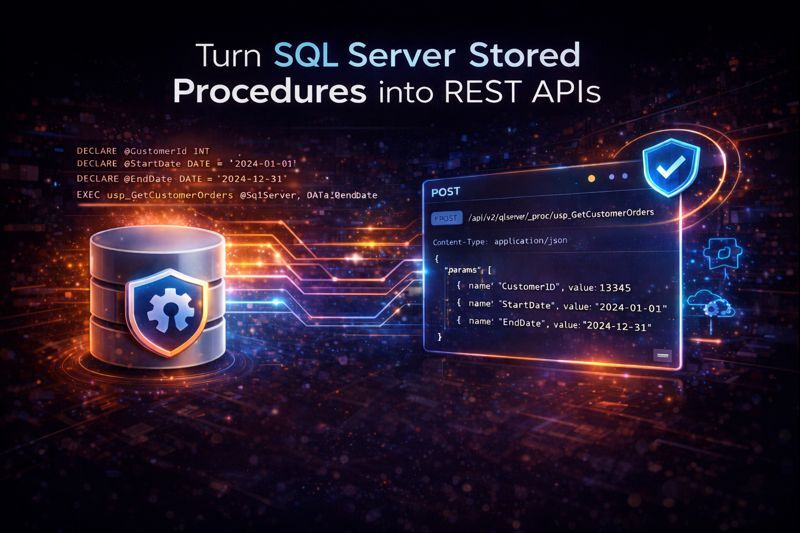
Enterprises have invested decades of development effort into SQL Server stored procedures. These procedures contain critical business logic—validation rules, complex calculations, transaction handling, reporting queries—that applications need to access. But stored procedures weren't designed for modern API-driven architectures. This guide covers the complete landscape of options for exposing SQL Server stored procedures as REST APIs: from manual .NET development to middleware solutions to automatic API generation platforms like DreamFactory. We'll examine the trade-offs, show real code examples, and help you choose the right approach for your organization.
The Stored Procedure Problem
If you're working with SQL Server in an enterprise environment, you've likely inherited a substantial investment in stored procedures. A typical large organization might have hundreds or even thousands of stored procedures containing:
- Business logic: Validation rules, calculation engines, workflow enforcement
- Data transformation: Complex joins, aggregations, and ETL operations
- Transaction management: Multi-step operations that must succeed or fail atomically
- Security enforcement: Row-level security, audit logging, access control
- Reporting queries: Optimized queries for dashboards and analytics
This represents real business value—often millions of dollars in development and refinement over years. The procedures work. They're tested. They're trusted.
The problem is access. Stored procedures were designed to be called from database connections, typically through:
- Direct ADO.NET or ODBC connections from server applications
- SQL Server Management Studio for ad-hoc execution
- Scheduled jobs via SQL Server Agent
- Legacy client-server applications with direct database access
Modern applications don't work this way. Mobile apps, single-page web applications, microservices, and third-party integrations all expect to communicate via HTTP APIs—typically REST. They can't (and shouldn't) open direct database connections.
This creates a gap: valuable business logic exists in stored procedures, but modern applications can't access it without an intermediary layer.
Traditional Approaches to Exposing Stored Procedures
Organizations have developed several approaches to bridge this gap. Each has merits and significant trade-offs.
Option 1: Custom .NET Web API Development
The most common approach is building a custom API layer using ASP.NET Core Web API (or the older ASP.NET Web API 2).
How it works:
// Controller for a stored procedure that gets customer orders
[ApiController]
[Route("api/[controller]")]
public class CustomerOrdersController : ControllerBase
{
   private readonly string _connectionString;


   public CustomerOrdersController(IConfiguration config)
   {
       _connectionString = config.GetConnectionString("SqlServer");
   }


   [HttpGet("{customerId}")]
   public async Task<IActionResult> GetCustomerOrders(int customerId, DateTime? startDate, DateTime? endDate)
   {
       using var connection = new SqlConnection(_connectionString);
       using var command = new SqlCommand("usp_GetCustomerOrders", connection);


       command.CommandType = CommandType.StoredProcedure;
       command.Parameters.AddWithValue("@CustomerId", customerId);
       command.Parameters.AddWithValue("@StartDate", startDate ?? (object)DBNull.Value);
       command.Parameters.AddWithValue("@EndDate", endDate ?? (object)DBNull.Value);


       await connection.OpenAsync();


       var results = new List<OrderDto>();
       using var reader = await command.ExecuteReaderAsync();


       while (await reader.ReadAsync())
       {
           results.Add(new OrderDto
           {
               OrderId = reader.GetInt32(0),
               OrderDate = reader.GetDateTime(1),
               TotalAmount = reader.GetDecimal(2),
               Status = reader.GetString(3)
           });
       }


       return Ok(results);
   }
}
Strengths:
- Full control over API design and behavior
- Can add custom validation, transformation, and error handling
- Familiar to .NET development teams
- Can be optimized for specific use cases
Weaknesses:
- Time-intensive: Each stored procedure requires a controller, DTOs, parameter mapping, and error handling. Multiply by hundreds of procedures.
- Maintenance burden: When stored procedures change, the API code must be updated to match.
- Inconsistency: Different developers write different API patterns. Documentation drifts from implementation.
- Security responsibility: Authentication, authorization, rate limiting, and input validation must be implemented per endpoint.
Realistic effort: Plan for 2-8 hours per stored procedure for initial development, plus ongoing maintenance. For 100 stored procedures, this represents 200-800 hours of development work—and the maintenance never ends.
Option 2: Entity Framework with Stored Procedure Mapping
Entity Framework Core can map stored procedures to methods, reducing some boilerplate.
// DbContext configuration
protected override void OnModelCreating(ModelBuilder modelBuilder)
{
   modelBuilder.Entity<CustomerOrder>()
       .HasNoKey()
       .ToView(null); // Required for stored procedure results
}


// Calling the stored procedure
public async Task<List<CustomerOrder>> GetCustomerOrdersAsync(int customerId, DateTime? startDate, DateTime? endDate)
{
   return await _context.CustomerOrders
       .FromSqlInterpolated($"EXEC usp_GetCustomerOrders @CustomerId={customerId}, @StartDate={startDate}, @EndDate={endDate}")
       .ToListAsync();
}
Strengths:
- Less boilerplate than raw ADO.NET
- Parameterized queries help prevent SQL injection
- Integrates with existing EF-based applications
Weaknesses:
- Still requires manual mapping for each procedure
- Entity classes must be created for each result set
- Complex result sets (multiple result sets, output parameters) are awkward
- Stored procedures with dynamic schemas are problematic
- You still need to build the REST API layer on top
Option 3: OData with SQL Server
OData provides a standardized protocol for exposing data operations via HTTP.
Strengths:
- Standardized query syntax ($filter, $select, $expand)
- Auto-generated metadata and documentation
- Good tooling support in Microsoft ecosystem
Weaknesses:
- Primarily designed for table/entity access, not stored procedures
- Stored procedure support requires custom actions or function imports
- Learning curve for teams unfamiliar with OData conventions
- Can expose more data surface area than intended
Option 4: Azure Data API Builder
Microsoft's Azure Data API Builder is a newer option that auto-generates REST and GraphQL endpoints from SQL Server.
Strengths:
- Native Microsoft solution with Azure integration
- Configuration-based API generation
- Supports stored procedures through configuration
- GraphQL support out of the box
Weaknesses:
- Relatively new with evolving documentation
- Stored procedure support is more limited than table access
- Complex parameter types may require workarounds
- Azure-centric—self-hosted options are more limited

The Auto-Generation Approach: DreamFactory for SQL Server
DreamFactory takes a different approach: connect to your SQL Server database, and it automatically generates REST APIs for all database objects—including stored procedures—without writing code.
How It Works
- Connect: Provide SQL Server connection credentials (server, database, authentication)
- Introspect: DreamFactory reads the database schema, including all stored procedures, their parameters, and result sets
- Generate: REST endpoints are automatically created for each stored procedure
- Secure: Apply role-based access control, API keys, and rate limiting through configuration
- Document: OpenAPI (Swagger) documentation is auto-generated and stays synchronized
The entire process typically takes minutes, not weeks.
What the Generated API Looks Like
Consider a stored procedure for retrieving customer orders:
-- SQL Server stored procedure
CREATE PROCEDURE usp_GetCustomerOrders
   @CustomerId INT,
   @StartDate DATE = NULL,
   @EndDate DATE = NULL
AS
BEGIN
   SELECT
       OrderId,
       OrderDate,
       TotalAmount,
       Status
   FROM Orders
   WHERE CustomerId = @CustomerId
       AND (@StartDate IS NULL OR OrderDate >= @StartDate)
       AND (@EndDate IS NULL OR OrderDate <= @EndDate)
   ORDER BY OrderDate DESC
END
DreamFactory automatically exposes this as a REST endpoint:
# Call the stored procedure via REST API
POST /api/v2/sqlserver/_proc/usp_GetCustomerOrders
Content-Type: application/json
X-DreamFactory-API-Key: your-api-key


{
   "params": [
       {"name": "CustomerId", "value": 12345},
       {"name": "StartDate", "value": "2024-01-01"},
       {"name": "EndDate", "value": "2024-12-31"}
   ]
}
Response:
{
   "resource": [
       {
           "OrderId": 98765,
           "OrderDate": "2024-11-15",
           "TotalAmount": 1250.00,
           "Status": "Shipped"
       },
       {
           "OrderId": 98432,
           "OrderDate": "2024-10-22",
           "TotalAmount": 890.50,
           "Status": "Delivered"
       }
   ]
}
No custom code was written. The endpoint was created automatically when DreamFactory connected to the database.
Handling Different Parameter Types
SQL Server stored procedures often use various parameter types. DreamFactory handles these automatically:
Input parameters:
{
   "params": [
       {"name": "CustomerId", "value": 12345},
       {"name": "SearchTerm", "value": "widget"},
       {"name": "IsActive", "value": true},
       {"name": "MaxResults", "value": 100}
   ]
}
Output parameters:
{
   "params": [
       {"name": "CustomerId", "value": 12345},
       {"name": "TotalCount", "param_type": "OUT"}
   ]
}


// Response includes output parameter values
{
   "resource": [...],
   "out_params": {
       "TotalCount": 47
   }
}
Input/Output parameters:
{
   "params": [
       {"name": "BatchId", "value": 100, "param_type": "INOUT"}
   ]
}
Stored Procedures with Multiple Result Sets
Some stored procedures return multiple result sets—DreamFactory handles this correctly:
-- Procedure returning multiple result sets
CREATE PROCEDURE usp_GetCustomerDashboard
   @CustomerId INT
AS
BEGIN
   -- First result set: customer info
   SELECT * FROM Customers WHERE CustomerId = @CustomerId


   -- Second result set: recent orders
   SELECT TOP 10 * FROM Orders WHERE CustomerId = @CustomerId ORDER BY OrderDate DESC


   -- Third result set: account summary
   SELECT COUNT(*) AS TotalOrders, SUM(TotalAmount) AS LifetimeValue FROM Orders WHERE CustomerId = @CustomerId
END
Response includes all result sets:
{
   "resource": [
       [
           {"CustomerId": 12345, "CompanyName": "Acme Corp", "ContactEmail": "buyer@acme.com"}
       ],
       [
           {"OrderId": 98765, "OrderDate": "2024-11-15", "TotalAmount": 1250.00},
           {"OrderId": 98432, "OrderDate": "2024-10-22", "TotalAmount": 890.50}
       ],
       [
           {"TotalOrders": 47, "LifetimeValue": 125430.00}
       ]
   ]
}
Security Considerations
Exposing stored procedures via REST APIs introduces security considerations that must be addressed regardless of which approach you choose.
SQL Injection Prevention
When building custom APIs, SQL injection is a constant concern. Every parameter must be properly parameterized:
// VULNERABLE - Never do this
var query = $"EXEC usp_GetCustomer @Name='{customerName}'";


// SAFE - Always use parameters
command.Parameters.AddWithValue("@Name", customerName);
DreamFactory handles parameterization automatically—parameters passed through the API are always bound as proper SQL parameters, never concatenated into query strings.
Authentication and Authorization
APIs should never be publicly accessible without authentication. Common approaches:
- API Keys: Simple but effective for server-to-server communication
- OAuth 2.0 / JWT: Standard for user-facing applications
- Active Directory / LDAP: Enterprise single sign-on integration
DreamFactory supports all of these authentication methods, configurable per API or per endpoint. You can also implement role-based access control (RBAC) to restrict which stored procedures specific users or applications can call.
Rate Limiting
Without rate limiting, a single client (or attacker) could overwhelm your database with procedure calls. Custom implementations require building this logic; DreamFactory includes configurable rate limiting out of the box.
Input Validation
Beyond SQL injection, stored procedures may have business rules about acceptable parameter values. DreamFactory allows you to configure validation rules (required fields, value ranges, regex patterns) that are enforced before the procedure is called.
Audit Logging
For compliance and troubleshooting, you need to know who called which procedure with what parameters and when. DreamFactory automatically logs all API calls with full request details, configurable retention, and export options.
Real-World Implementation Examples
Example 1: Order Processing Procedure
A stored procedure that creates an order and returns the order ID:
CREATE PROCEDURE usp_CreateOrder
   @CustomerId INT,
   @Items NVARCHAR(MAX),  -- JSON array of items
   @ShippingAddress NVARCHAR(500),
   @OrderId INT OUTPUT
AS
BEGIN
   BEGIN TRANSACTION


   INSERT INTO Orders (CustomerId, ShippingAddress, OrderDate, Status)
   VALUES (@CustomerId, @ShippingAddress, GETDATE(), 'Pending')


   SET @OrderId = SCOPE_IDENTITY()


   INSERT INTO OrderItems (OrderId, ProductId, Quantity, UnitPrice)
   SELECT @OrderId, ProductId, Quantity, UnitPrice
   FROM OPENJSON(@Items) WITH (
       ProductId INT,
       Quantity INT,
       UnitPrice DECIMAL(10,2)
   )


   COMMIT TRANSACTION


   SELECT @OrderId AS OrderId
END
API call via DreamFactory:
POST /api/v2/sqlserver/_proc/usp_CreateOrder
Content-Type: application/json
X-DreamFactory-API-Key: your-api-key


{
   "params": [
       {"name": "CustomerId", "value": 12345},
       {"name": "Items", "value": "[{\"ProductId\":100,\"Quantity\":2,\"UnitPrice\":29.99},{\"ProductId\":205,\"Quantity\":1,\"UnitPrice\":149.00}]"},
       {"name": "ShippingAddress", "value": "123 Main St, Boston, MA 02101"},
       {"name": "OrderId", "param_type": "OUT"}
   ]
}


// Response
{
   "resource": [{"OrderId": 55123}],
   "out_params": {"OrderId": 55123}
}
Example 2: Report Generation Procedure
A procedure that generates a sales report with aggregations:
CREATE PROCEDURE usp_SalesReport
   @StartDate DATE,
   @EndDate DATE,
   @GroupBy VARCHAR(20) = 'month'  -- 'day', 'week', 'month', 'quarter'
AS
BEGIN
   SELECT
       CASE @GroupBy
           WHEN 'day' THEN CAST(OrderDate AS DATE)
           WHEN 'week' THEN DATEADD(WEEK, DATEDIFF(WEEK, 0, OrderDate), 0)
           WHEN 'month' THEN DATEFROMPARTS(YEAR(OrderDate), MONTH(OrderDate), 1)
           WHEN 'quarter' THEN DATEFROMPARTS(YEAR(OrderDate), ((MONTH(OrderDate)-1)/3)*3+1, 1)
       END AS Period,
       COUNT(*) AS OrderCount,
       SUM(TotalAmount) AS Revenue,
       AVG(TotalAmount) AS AverageOrderValue,
       COUNT(DISTINCT CustomerId) AS UniqueCustomers
   FROM Orders
   WHERE OrderDate BETWEEN @StartDate AND @EndDate
   GROUP BY
       CASE @GroupBy
           WHEN 'day' THEN CAST(OrderDate AS DATE)
           WHEN 'week' THEN DATEADD(WEEK, DATEDIFF(WEEK, 0, OrderDate), 0)
           WHEN 'month' THEN DATEFROMPARTS(YEAR(OrderDate), MONTH(OrderDate), 1)
           WHEN 'quarter' THEN DATEFROMPARTS(YEAR(OrderDate), ((MONTH(OrderDate)-1)/3)*3+1, 1)
       END
   ORDER BY Period
END
API call:
POST /api/v2/sqlserver/_proc/usp_SalesReport
Content-Type: application/json
X-DreamFactory-API-Key: your-api-key


{
   "params": [
       {"name": "StartDate", "value": "2024-01-01"},
       {"name": "EndDate", "value": "2024-12-31"},
       {"name": "GroupBy", "value": "month"}
   ]
}


// Response
{
   "resource": [
       {"Period": "2024-01-01", "OrderCount": 1247, "Revenue": 156234.50, "AverageOrderValue": 125.29, "UniqueCustomers": 892},
       {"Period": "2024-02-01", "OrderCount": 1189, "Revenue": 148920.00, "AverageOrderValue": 125.25, "UniqueCustomers": 845},
       ...
   ]
}
Example 3: Search Procedure with Dynamic Filtering
CREATE PROCEDURE usp_SearchProducts
   @SearchTerm NVARCHAR(100) = NULL,
   @CategoryId INT = NULL,
   @MinPrice DECIMAL(10,2) = NULL,
   @MaxPrice DECIMAL(10,2) = NULL,
   @InStockOnly BIT = 0,
   @PageNumber INT = 1,
   @PageSize INT = 20
AS
BEGIN
   SELECT
       ProductId,
       ProductName,
       CategoryName,
       UnitPrice,
       StockQuantity,
       Description
   FROM Products p
   JOIN Categories c ON p.CategoryId = c.CategoryId
   WHERE (@SearchTerm IS NULL OR ProductName LIKE '%' + @SearchTerm + '%')
       AND (@CategoryId IS NULL OR p.CategoryId = @CategoryId)
       AND (@MinPrice IS NULL OR UnitPrice >= @MinPrice)
       AND (@MaxPrice IS NULL OR UnitPrice <= @MaxPrice)
       AND (@InStockOnly = 0 OR StockQuantity > 0)
   ORDER BY ProductName
   OFFSET (@PageNumber - 1) * @PageSize ROWS
   FETCH NEXT @PageSize ROWS ONLY
END
API call with partial parameters (optional parameters use defaults):
POST /api/v2/sqlserver/_proc/usp_SearchProducts
Content-Type: application/json
X-DreamFactory-API-Key: your-api-key


{
   "params": [
       {"name": "SearchTerm", "value": "wireless"},
       {"name": "InStockOnly", "value": true},
       {"name": "PageSize", "value": 50}
   ]
}
Comparison: Manual Development vs. DreamFactory
|
Factor |
Custom .NET Development |
DreamFactory |
|---|---|---|
|
Time to expose 1 procedure |
2-8 hours (controller, DTOs, testing) | Minutes (automatic generation) |
|
Time to expose 100 procedures |
200-800 hours | Same as 1 procedure (bulk generation) |
|
Schema changes |
Manual code updates required | Re-introspect database; APIs update automatically |
|
Documentation |
Manual maintenance (often drifts) | Auto-generated OpenAPI, always current |
|
Authentication |
Implement per project | Built-in (API keys, OAuth, LDAP, etc.) |
|
Rate limiting |
Implement or add middleware | Built-in, configurable |
|
Audit logging |
Implement per project | Built-in, automatic |
|
SQL injection protection |
Developer responsibility | Automatic parameterization |
|
Maintenance burden |
Ongoing (code, dependencies, security patches) | Platform updates handle most maintenance |
|
Customization |
Unlimited (it's your code) | Extensive but within platform capabilities |
|
Team skillset required |
.NET development, API design, security | Configuration, basic SQL understanding |

When to Choose Each Approach
Choose Custom Development When:
- You have a small number of procedures (under 10) with very specific requirements
- You need extremely custom business logic in the API layer itself
- Your team has capacity and prefers full control
- The API requirements are unlikely to change frequently
Choose DreamFactory When:
- You have many stored procedures to expose (dozens or hundreds)
- You need APIs quickly without months of development
- Your database schema changes regularly and APIs need to stay synchronized
- You want built-in security features without implementing them yourself
- Your team should focus on business logic, not API infrastructure
- You need comprehensive documentation that stays current automatically
- Multiple applications or teams will consume the same APIs
Getting Started with DreamFactory and SQL Server
If you're ready to expose your SQL Server stored procedures as REST APIs, here's the process:
- Deploy DreamFactory: Available as a Docker container, cloud marketplace image (AWS, Azure, Google Cloud), or traditional installation. Most deployments take under an hour.
- Create a SQL Server service: In the DreamFactory admin console, add a new SQL Server connection with your server address, database name, and credentials.
- Automatic discovery: DreamFactory introspects your database and discovers all stored procedures, their parameters, and result structures.
- Configure security: Set up API keys, roles, and access controls to determine who can call which procedures.
- Test and deploy: Use the built-in API documentation to test your endpoints, then deploy for application consumption.
The entire process—from installation to working APIs—typically takes less than a day, even for databases with hundreds of stored procedures.
Conclusion
SQL Server stored procedures represent significant business value, but exposing them to modern applications requires bridging the gap between database connectivity and REST APIs. While custom development offers maximum flexibility, it demands substantial ongoing investment. Auto-generation platforms like DreamFactory offer a pragmatic alternative: instant API creation, built-in security, automatic documentation, and minimal maintenance overhead.
For organizations with substantial stored procedure investments—and that's most enterprises using SQL Server—the economics favor automation. The development hours saved can be redirected to building features that differentiate your business, rather than rebuilding commodity API infrastructure.
Your stored procedures already contain the logic. The question is how quickly and securely you can make that logic accessible to the applications that need it.