Blog
Blog
 December 4, 2025
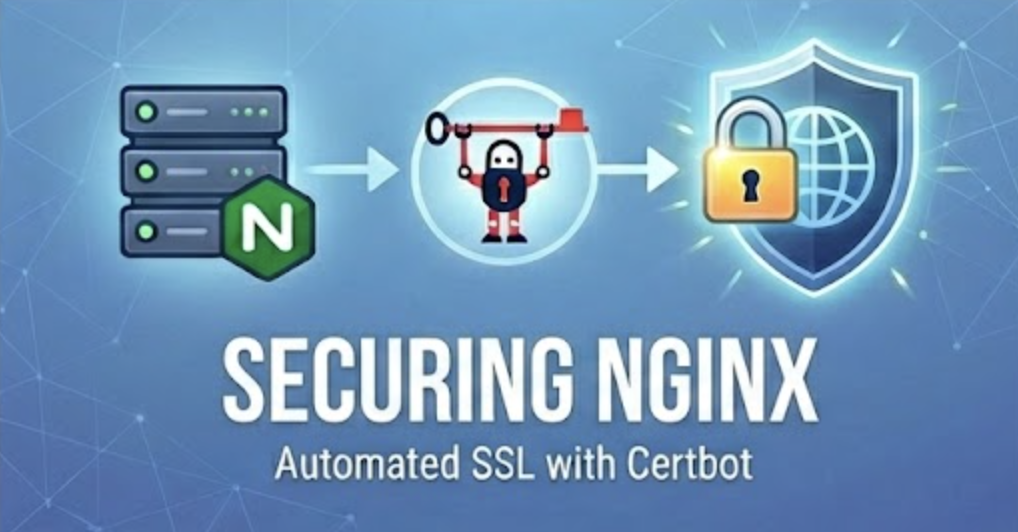
Securing your web applications with HTTPS is essential for production deployments. SSL/TLS certificates encrypt data in transit, protect user privacy, and improve search engine rankings. For Nginx web servers, Certbot from Let's Encrypt provides a free, automated solution for obtaining and managing SSL certificates.
This guide walks you through implementing SSL certificates on Nginx using Certbot, covering installation, certificate generation, and automated renewal. Note: This guide is specifically oriented for Ubuntu and Debian-based Linux distributions.
What is Certbot?
Certbot is an open-source tool that automates obtaining, installing, and renewing SSL/TLS certificates from Let's Encrypt—a free, automated Certificate Authority that has issued over 1 billion certificates.
Key Benefits:
- Free SSL certificates with automated renewal
- Native Nginx integration for seamless configuration
- Supports multiple domains and wildcard certificates
- Perfect for securing REST APIs, web applications, and platforms like DreamFactory
Prerequisites
Before starting, ensure you have:
- Operating system: Ubuntu 20.04+ or Debian 10+ Linux distribution
- Registered domain: Domain with DNS A record pointing to your server's IP
- Nginx installed: Nginx web server running with a configured server block
- Root access: Sudo privileges on your server
- Open ports: Ports 80 (HTTP) and 443 (HTTPS) accessible from the internet
Verify your Nginx configuration at /etc/nginx/sites-available/your-domain:
server {

           listen 80;
           server_name yourdomain.com www.yourdomain.com;
           root /var/www/html;
           location / {
                 try_files $uri $uri/ =404;

    }

}
Test the configuration:
sudo nginx -t
sudo systemctl reload nginx
Installing Certbot
The recommended installation method is using Snap, which provides automatic updates and dependency management.
Step 1: Install Snapd
sudo apt update && sudo apt install snapdStep 2: Install Snap Core
sudo snap install core && sudo snap refresh coreStep 3: Remove Conflicting Packages
sudo apt remove certbotStep 4: Install Certbot
sudo snap install --classic certbotThe --classic flag allows Certbot to access Nginx configuration files.
Step 5: Create Symbolic Link
sudo ln -s /snap/bin/certbot /usr/bin/certbotVerify installation:
certbot --versionRequesting SSL Certificates
Use Certbot's automatic configuration mode to obtain and install certificates:
sudo certbot --nginxThis command will:
- Scan your Nginx configuration for domains
- Request certificates from Let's Encrypt
- Automatically configure HTTPS in Nginx
- Set up HTTP-to-HTTPS redirection
- Reload Nginx with the new configuration
You'll be prompted for:
- Email address for renewal notifications
- Agreement to Let's Encrypt Terms of Service
- Which domains to secure
- Whether to redirect HTTP traffic to HTTPS (recommended)
After completion, Certbot updates your Nginx configuration with SSL directives:
server {

           listen 443 ssl http2;
           server_name yourdomain.com www.yourdomain.com;

           ssl_certificate /etc/letsencrypt/live/yourdomain.com/fullchain.pem;
           ssl_certificate_key /etc/letsencrypt/live/yourdomain.com/privkey.pem;
           include /etc/letsencrypt/options-ssl-nginx.conf;

}
Verifying Installation
Test your SSL certificate:
# sudo certbot certificates

# Test HTTPS access
curl -I https://yourdomain.com
Automatic Certificate Renewal
Let's Encrypt certificates expire after 90 days. Certbot automatically configures renewal via systemd timer that runs twice daily.
Test Renewal
Verify the renewal process works correctly:
sudo certbot renew --dry-runIf successful, you'll see:
Congratulations, all simulated renewals succeededManual Renewal
Force renewal if needed:
sudo certbot renewCertificates automatically renew when they have 30 days or less remaining. Let's Encrypt sends email notifications at 20, 10, and 1 day before expiration if renewal fails.
Common Troubleshooting
DNS Issues
Verify your domain points to the correct IP:
nslookup yourdomain.com
dig +short yourdomain.com
Port 80 Blocked
Ensure Nginx is listening and accessible:
sudo netstat -tlnp | grep :80
curl -I http://yourdomain.com
Rate Limiting
Let's Encrypt limits 50 certificates per domain per week. Use staging for testing:
sudo certbot --nginx --stagingBest Practices
- Enable HTTP/2: Already included in the Nginx configuration above
- Enable HSTS: Force HTTPS for future connections:
add_header Strict-Transport-Security "max-age=31536000" always; - Monitor expiration: Check renewal logs regularly:
sudo journalctl -u snap.certbot.renew.service

Frequently Asked Questions
1. How long do Let's Encrypt certificates last, and do I need to manually renew them?
Let's Encrypt SSL certificates are valid for 90 days. However, you don't need to worry about manual renewal—Certbot automatically sets up a systemd timer that checks for renewal twice daily. Certificates are automatically renewed when they have 30 days or less remaining. You'll only receive email notifications if the automatic renewal process fails, giving you time to troubleshoot any issues.
2. Can I secure multiple domains with a single Certbot command?
Yes! Certbot can secure multiple domains and subdomains with a single certificate. When you run sudo certbot --nginx, it will scan your Nginx configuration and present all detected domains for you to choose from. You can select multiple domains to be included on one certificate. Alternatively, you can specify domains explicitly: sudo certbot --nginx -d example.com -d www.example.com -d api.example.com. Certbot also supports wildcard certificates using DNS validation.
3. Is Certbot and Let's Encrypt really free? Are there any hidden costs?
Yes, both Certbot and Let's Encrypt are completely free with no hidden costs, premium tiers, or limitations on the number of certificates you can issue. Let's Encrypt is a nonprofit Certificate Authority sponsored by major tech companies to make HTTPS encryption accessible to everyone. The only requirement is that you have a publicly accessible domain name and server. This makes it an ideal solution for securing production applications, APIs, and platforms like DreamFactory without ongoing certificate expenses.
Conclusion
Certbot provides a straightforward, automated solution for implementing SSL/TLS encryption on Nginx. With free certificates from Let's Encrypt, automatic renewal, and native Nginx integration, securing your web applications has never been easier.
For API platforms like DreamFactory, combining Nginx reverse proxy with Certbot certificate management creates an enterprise-grade security architecture suitable for production deployments.