Blog
Blog
 November 9, 2025
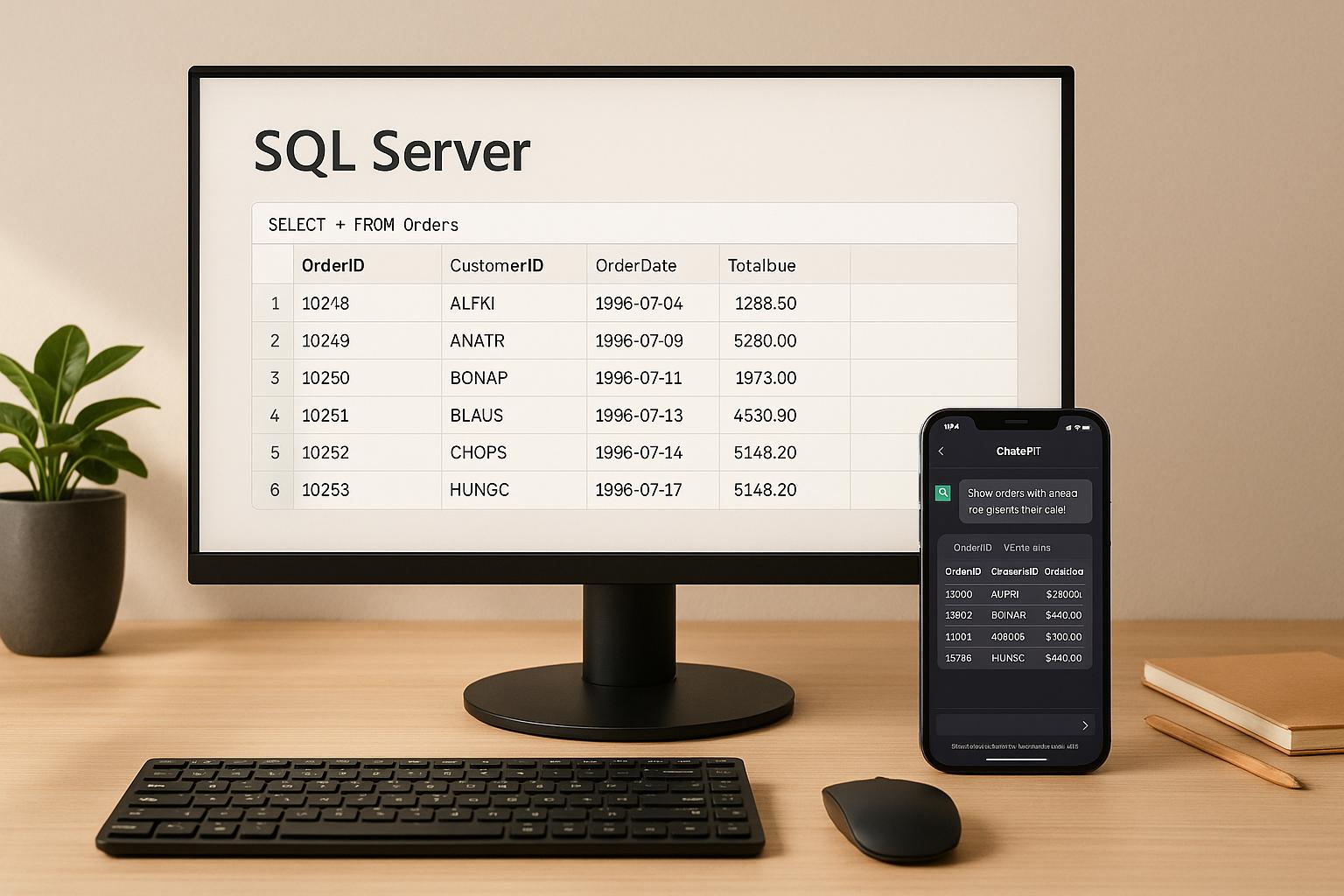
DreamFactory makes it easy to connect ChatGPT to your SQL Server data by automatically creating secure REST APIs for your database. This allows you to query your data conversationally without exposing sensitive information or requiring complex SQL knowledge. Here's how it works:
- DreamFactory acts as a secure gateway: It generates API endpoints for your SQL Server tables, views, and stored procedures, eliminating the need for direct database access.
- Setup is simple: Connect your SQL Server to DreamFactory, configure API security settings, and test the endpoints.
- ChatGPT integration: Use middleware to translate natural language queries into API calls, enabling ChatGPT to fetch and present data conversationally.
- Security features: Role-based access control, API key management, and logging ensure data security and compliance with regulations like GDPR and HIPAA.
- Performance tools: DreamFactory optimizes API calls with features like filtering, pagination, and caching.
How to Use ChatGPT to Query SQL Data | Python, OpenAI API and Streamlit Tutorial
Setting Up DreamFactory for SQL Server API Generation
DreamFactory makes it simple to connect to your SQL Server database and automatically generate REST APIs for your tables and stored procedures. Here's how to get started.
Installing and Accessing DreamFactory
You can set up DreamFactory using several deployment options: hosted cloud, Docker, Kubernetes, or Linux. For this guide, we'll use the cloud version to get up and running quickly.
After signing up for a DreamFactory account, you'll receive credentials and a unique URL to access your instance. Open the admin console in your browser, where you'll find a dashboard to manage all your API configurations.
On your first login, you'll need to set an admin password and configure basic security settings. This process takes just a few minutes. The interface is user-friendly, with clearly labeled sections for Services, Apps, Users, and Roles.
Connecting DreamFactory to SQL Server
To connect DreamFactory to your SQL Server database, start by navigating to the Services tab in the admin console and clicking Create. You'll need to provide specific configuration details to establish a secure connection.
Here’s what you’ll need:
- Server hostname or IP address
- Database name
- Authentication credentials
If you’re using SQL Server Authentication, simply enter your username and password. For Windows Authentication, ensure your connection string includes domain information. Use the following formats:
- For SQL Server:
sqlsrv:Server=your-server-name;Database=your-database-name - For Azure SQL Database:
sqlsrv:Server=your-server.database.windows.net;Database=your-database-name
Once you've entered your connection details, DreamFactory will test the connection. If it fails, double-check your network settings, authentication details, or database permissions.
When the connection is successful, DreamFactory performs schema discovery, scanning your database to identify tables, views, stored procedures, and relationships. This process usually takes 30-60 seconds, depending on the complexity of your database structure. After this, DreamFactory automatically generates API endpoints for your data.
How Auto-Generated Endpoints Work
Once your SQL Server connection is set up, DreamFactory transforms your database into secure REST API endpoints. These endpoints follow standard URL patterns, making them easy to use and integrate.
For each table in your database, DreamFactory creates five main endpoints:
- GET
/api/v2/your-service-name/table-name– Retrieves all records. - GET
/api/v2/your-service-name/table-name/{id}– Fetches a specific record. - POST
/api/v2/your-service-name/table-name– Creates new records. - PUT
/api/v2/your-service-name/table-name/{id}– Updates an existing record. - DELETE
/api/v2/your-service-name/table-name/{id}– Deletes a record.
In addition to these, DreamFactory generates schema endpoints that provide metadata about your database. These endpoints include details about table columns, data types, relationships, and constraints, which can help tools like ChatGPT understand your database and construct accurate queries.
Stored procedures are also automatically detected and assigned their own endpoints. DreamFactory creates both GET and POST endpoints for stored procedures, depending on whether they modify data or return results. Parameters can be passed via URL query strings (GET) or JSON body (POST).
DreamFactory also generates Swagger documentation for your APIs. This documentation includes complete specs and examples, allowing you to test endpoints directly in your browser before integrating them with ChatGPT or other applications.
Advanced Features for Complex Queries
DreamFactory simplifies working with complex data relationships. It supports joins, foreign key relationships, and nested data structures, letting you retrieve related data in a single API call. This reduces the number of requests required and improves performance for more intricate queries.
You can also use query parameters to filter and sort data. For example:
filter=status='active'– Filters records where the status is active.order=created_date DESC– Sorts records by creation date in descending order.
DreamFactory translates these parameters into optimized SQL queries, ensuring efficient database operations. Plus, it uses parameterized queries to guard against SQL injection attacks, keeping your data secure.
With DreamFactory, you can quickly turn your SQL Server database into a fully functional, secure REST API, ready to integrate with ChatGPT or any other application.
Securing and Managing SQL Server APIs
Once your SQL Server APIs are live, the next step is ensuring they're secure. Protecting sensitive data is critical, and DreamFactory offers robust tools to help you control access and manage usage effectively.
Setting Up Role-Based Access Control (RBAC)
Role-Based Access Control (RBAC) allows you to assign precise permissions to users and applications, limiting access to only what's necessary. Instead of granting blanket permissions, you can create roles tailored to your organization’s needs.
Head to the Roles section in the admin console to set up these roles. For example, you might create roles like Sales, Customer Support, or Analytics, each with its own set of permissions. A Sales role could have read-only access to customer data but full permissions on leads, while Customer Support might need read/update access to customer records but no access to financial details.
DreamFactory's RBAC works at multiple levels - service, table, and even individual fields - ensuring sensitive data like Social Security numbers or credit card details stays off-limits. Permissions are based on five key operations: Create, Read, Update, Delete, and Execute (for stored procedures). You can combine these permissions as needed. For instance, a reporting role might have Read access across all tables but no rights to modify or delete data.
Another powerful feature is record-level filtering, which limits access based on data values. For example, a regional sales manager could only view customer records for their assigned territory. This filtering happens directly at the database level, so users only see what they’re authorized to access.
Managing API Keys and Authentication
API keys are the foundation of authentication in DreamFactory. The platform makes it easy to create, manage, and rotate these keys.
To create an API key, navigate to the Apps section in the admin console and click Create. Each app you register represents a unique system or user accessing your APIs, such as a web application, a mobile app, or even ChatGPT integration. Once created, DreamFactory generates a unique API key, which must be included in the X-DreamFactory-API-Key header for every API request.
DreamFactory also supports OAuth 2.0 for secure, time-limited access tokens and provides session-based authentication for web applications, where users log in with traditional credentials. This approach is often more intuitive for internal applications.
When rotating API keys, DreamFactory ensures a smooth transition by allowing the old key to remain active temporarily, avoiding disruptions. Additionally, the platform tracks key usage, showing metrics like last use, request counts, and active keys. This visibility helps identify unused keys for deactivation and flags unusual activity that might indicate security concerns.
Compliance and Usage Monitoring
DreamFactory includes built-in tools to help meet compliance standards like GDPR and HIPAA. These tools focus on logging, auditing, and safeguarding data.
Every API request is logged with details such as the timestamp, user identity, endpoint accessed, and response status. These logs provide enough detail for audits while keeping sensitive data secure. You can also configure log retention periods to align with your compliance policies.
For GDPR, DreamFactory supports data subject requests, making it easy to locate, export, or delete all data related to an individual. Audit trails document these actions, ensuring transparency.
HIPAA compliance features include encryption at rest and in transit (using TLS 1.2 or higher), detailed logging, and user activity monitoring. The platform can also integrate with your existing encryption key management systems.
Rate limiting is another critical feature. It prevents abuse by setting request caps for different roles or applications. For instance, your primary web app might handle up to 1,000 requests per minute, while a batch processing system is limited to 100.
Usage monitoring provides real-time insights into API performance, showing metrics like request volumes, response times, error rates, and popular endpoints. This data helps you fine-tune performance and plan for future capacity.
For more advanced logging and reporting, DreamFactory integrates seamlessly with the ELK stack (Elasticsearch, Logstash, and Kibana). This setup enables detailed searches and visualizations, making it easier to identify trends or troubleshoot issues.
To enhance security, alert systems notify you of unusual activity, such as repeated failed logins, spikes in request volumes, or unauthorized access to sensitive data outside business hours. These alerts allow for quick responses to potential threats.
Finally, compliance reporting tools generate summaries of API usage, security events, and data access patterns. These reports can be customized for stakeholders and scheduled to run automatically, keeping everyone informed.
Connecting SQL Server APIs to ChatGPT
Once your SQL Server APIs are secured and set up, the next step is linking them to ChatGPT. This connection allows users to perform conversational data queries seamlessly. Before diving into the integration, it’s essential to confirm that your API endpoints are functioning as expected.
Testing SQL Server API Endpoints
Start by testing your DreamFactory endpoints to ensure they return the correct data. Tools like Postman or cURL come in handy for this step, letting you validate endpoints with the appropriate HTTP methods (GET, POST, PUT, DELETE). For instance, a basic GET request to fetch customer data might look like this:
https://your-dreamfactory-instance.com/api/v2/sqlserver/_table/customers
Pay close attention to the response codes during testing:
- 200 OK: Everything is working as expected.
- 401 Unauthorized: Indicates authentication issues.
- 404 Not Found: Suggests the endpoint URL might be incorrect.
DreamFactory simplifies this process with its API Docs tab, where you can interactively test endpoints right from the admin console. This feature helps you understand how the endpoints behave before moving forward with ChatGPT integration.
Integrating ChatGPT with SQL Server APIs
Once your endpoints are verified, it’s time to connect them to ChatGPT for conversational data interactions. To do this, you’ll need an OpenAI API key and middleware to translate natural language queries into structured API calls.
The integration relies on the ChatCompletion endpoint with function-calling capabilities. This setup allows ChatGPT to generate structured API requests based on user input.
When crafting requests to ChatGPT, include:
- The model parameter (e.g.,
gpt-3.5-turboorgpt-4). - Messages containing the conversation context.
- Function definitions that describe your API endpoints, including their operations and parameters.
With function calling, ChatGPT can interact directly with your SQL Server APIs. Define functions that align with your DreamFactory endpoints, specifying details like table names, filters, and data fields.
Here’s how it works:
- ChatGPT generates a function call based on the user’s question.
- Your middleware parses this function call into an HTTP request targeting your DreamFactory APIs.
- The middleware formats the API’s response and sends it back to ChatGPT, which presents the data in natural language.
SQL Server Query Examples with ChatGPT
To see this in action, imagine a sales manager asking:
"Show me all customers who placed orders over $5,000.00 in the last 30 days."
ChatGPT processes the request, generates the necessary API calls to your orders and customers tables, and filters by order amount and date range. The response might include customer names, contact details, order amounts, and order dates.
Users can also ask follow-up questions that build on previous queries. For example, after reviewing a list of high-value customers, they might ask:
"What products did the top 3 customers purchase most frequently?"
ChatGPT keeps track of the context and creates additional API calls to analyze purchase trends.
These examples show how DreamFactory and ChatGPT work together to turn complex SQL queries into simple, intuitive conversations. The result? SQL Server data becomes accessible to anyone, regardless of their technical background.
Best Practices and Troubleshooting
Once you’ve set up DreamFactory and tested your SQL Server endpoints, the next step is to fine-tune performance, address potential issues, and ensure the security of your DreamFactory–ChatGPT integration.
Improving API Performance
With your endpoints secured and tested, it's time to focus on making them run as efficiently as possible. Start by optimizing your SQL queries to ensure faster API responses. When ChatGPT interacts with your SQL Server APIs, limit the size of result sets by implementing filtering and pagination. Instead of retrieving massive amounts of data at once, configure your DreamFactory endpoints to deliver smaller, more manageable chunks.
For complex or frequently used operations - like generating customer reports or analyzing sales data - leverage stored procedures. DreamFactory can automatically create REST endpoints for these procedures, allowing ChatGPT to perform optimized database tasks with minimal effort.
Caching is another tool to improve performance, especially for static data like product catalogs or customer lists. However, be cautious with cache durations. For data that changes often, use shorter cache times to avoid outdated results.
If your integration involves large datasets, adjust your server settings to handle the load effectively. These tweaks are particularly important when ChatGPT queries involve processing significant amounts of data.
Fixing Common Issues
Even with a solid setup, issues can arise. Here’s how to tackle the most common ones:
- Authentication failures: These often result in "Invalid Credentials Supplied" (HTTP 401) errors. Double-check that your authentication headers and API keys are correctly configured. Ensure the middleware connecting ChatGPT to DreamFactory includes valid API keys formatted properly for each request.
- Request formatting errors: If you encounter HTTP 400 (Bad Request) responses, it's likely due to incorrect API payload structures. Pay close attention to how your middleware formats queries, especially those with multiple parameters. For date-related queries, stick to the ISO 8601 format (YYYY-MM-DD) to match SQL Server's expectations.
- Connection timeouts: These can interrupt ChatGPT’s functionality. Set appropriate timeout values in both your DreamFactory instance and the middleware connecting to ChatGPT. Since network latency can add up, allow enough time for complex queries to complete while keeping response times reasonable.
- Schema mapping problems: Changes to your SQL Server structure after DreamFactory’s initial configuration can cause issues. Use DreamFactory’s schema refresh feature to update your endpoints whenever database modifications occur.
DreamFactory’s dreamfactory.log file is a valuable resource for diagnosing problems. To dig deeper into issues, set APP_LOG_LEVEL=DEBUG and enable debug mode by configuring APP_DEBUG=true. These settings provide detailed insights into API requests, database queries, and system errors.
Once technical issues are sorted out, shift your focus to securing your integration.
Security and Compliance Best Practices
Building on the earlier setup of role-based access and API key management, regular audits are essential to maintain stringent security standards. Review roles and API keys periodically to ensure that data access remains tightly controlled. Immediately deactivate API keys for former employees and rotate active keys on a regular schedule.
For better management, assign separate API keys for different ChatGPT use cases or user groups. This setup allows you to monitor usage patterns and easily revoke access if needed. Always store API keys securely - use environment variables or secret management tools rather than hardcoding them into your middleware.
To safeguard sensitive data, implement field-level restrictions in DreamFactory. This ensures that personally identifiable information (PII) or financial details are not exposed through conversational queries. Role-based access control (RBAC) can further restrict data visibility, ensuring that different user groups only access the data they’re authorized to see.
For compliance with regulations like GDPR or HIPAA, enable logging to track all data access through ChatGPT interactions. DreamFactory’s integration with the ELK stack provides comprehensive audit trails, detailing who accessed what data and when - critical for compliance reporting.
Secure all API communications by enabling HTTPS and restricting access to your DreamFactory instance through IP whitelisting or VPN requirements. To prevent abuse, consider implementing rate limiting to protect against potential denial-of-service attacks on your ChatGPT-enabled SQL Server access.
Finally, when working with time-sensitive data, reduce cache durations to ensure information stays current. During development cycles, use non-caching environments to test new ChatGPT integration features with up-to-date data. This approach ensures accuracy and reliability throughout the development process.
Conclusion: Key Takeaways
This guide highlights how DreamFactory simplifies the integration of SQL Server with ChatGPT, creating secure API endpoints in just 5 minutes - compared to the 34 days it would take to do manually. This approach not only speeds up development but also strengthens data security.
One critical takeaway is the emphasis on protecting your database during AI integration. With DreamFactory, ChatGPT never directly accesses SQL Server credentials or generates raw SQL queries. Instead, the AI communicates through controlled, secure endpoints. This setup greatly reduces the risks of SQL injection and unauthorized access.
DreamFactory’s built-in security measures - like role-based access control, detailed logging, and audit trails - ensure compliance and maintain strict control over API interactions. Every AI-driven query is authenticated, authorized, and tracked, eliminating the need for additional development efforts.
On average, organizations save $201,783 annually and reduce common API vulnerabilities by 99%, allowing teams to focus on creating innovative ChatGPT experiences. These improvements also boost overall system performance.
With real-time access to live SQL Server data and automatic OpenAPI documentation, DreamFactory delivers a scalable API ecosystem tailored for conversational AI.
In short, this integration offers a secure and efficient way to provide natural language access to SQL Server data, meeting the needs of both users and organizations without compromising on control or security.
FAQs
How does DreamFactory keep SQL Server data secure when connecting it with ChatGPT?
DreamFactory takes the protection of your SQL Server data seriously, offering security features such as role-based access control (RBAC), API key management, and SSL encryption. These tools work together to safeguard your data by regulating access, verifying user identities, and encrypting communications between systems.
These security measures allow you to integrate SQL Server with ChatGPT confidently, ensuring that your data remains secure and privacy standards are upheld.
How do I set up DreamFactory to create REST APIs for SQL Server?
To get started with DreamFactory and create REST APIs for your SQL Server, here's what you'll need to do:
- Choose your database: Begin by selecting your SQL Server database within DreamFactory.
- Add connection details: Provide a name, label, and description for your database connection.
- Input credentials: Enter the necessary connection information, such as the host, username, and password.
- Generate the API: Once everything is set, DreamFactory will automatically create a REST API for your SQL Server. It even includes interactive API documentation, making testing and integration straightforward.
With these steps, you can quickly connect your SQL Server data and start building APIs effortlessly.
How can I use ChatGPT to run advanced SQL queries through DreamFactory's API?
With DreamFactory, ChatGPT can seamlessly interact with SQL Server data through pre-configured API endpoints. These endpoints are crafted to manage complex SQL queries or execute business logic securely, eliminating the need to write SQL manually during interactions. This approach allows ChatGPT to handle conversational data queries effectively while keeping the database secure and running smoothly.
Related Blog Posts