
 Blog
Blog
 May 11, 2026
Last updated: June 2026
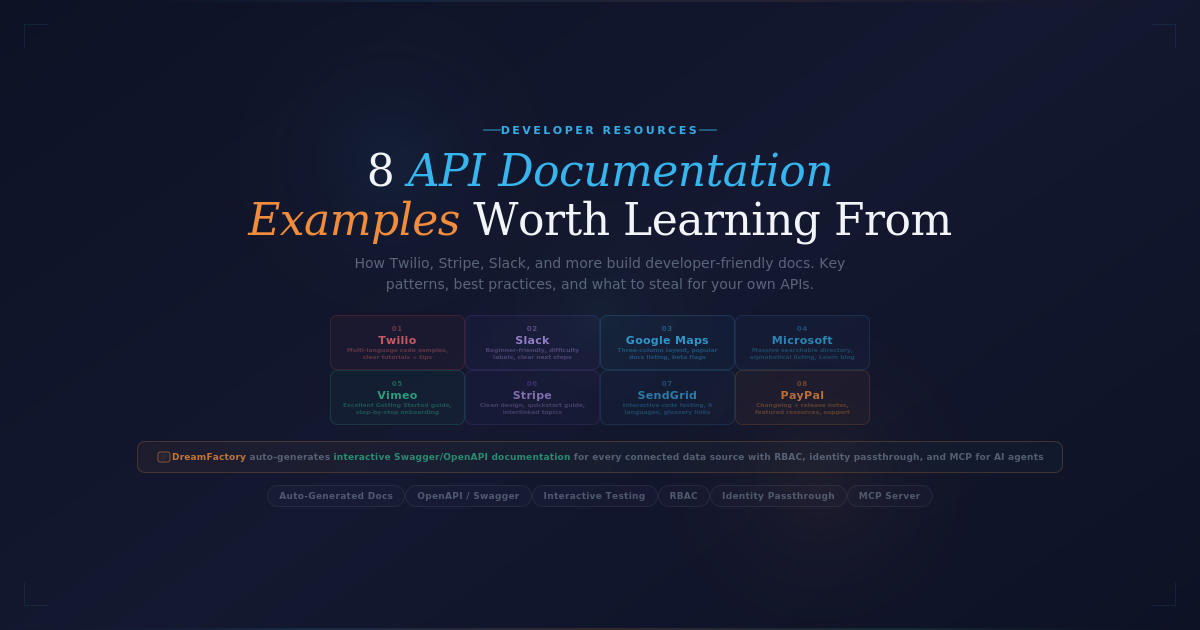
API documentation describes everything a developer needs to integrate with an API: endpoints, parameters, authentication, error codes, and runnable examples. Great documentation is the difference between a developer integrating in 30 minutes and abandoning your API after an hour of frustration. This guide showcases eight of the best API documentation examples in the industry — Stripe, GitHub, Twilio, Slack, AWS, Google Maps, Shopify, Postman — and breaks down the specific patterns each one uses well. It also covers the new dimension changing API documentation in 2026: how AI agents read your docs as MCP tool descriptions.
Quick summary
- What it is: Reference + tutorials describing how to use an API.
- Standard format: OpenAPI (formerly Swagger) — machine-readable spec, rendered as interactive docs.
- Best examples: Stripe, GitHub, Twilio, Slack, AWS, Google Maps, Shopify, Postman.
- What's changed: Documentation is now also input to LLM reasoning — AI agents read it via the Model Context Protocol (MCP) to pick which tool to call.
What makes great API documentation
Across all eight examples below, six patterns recur:
- Getting-started in five minutes: A first-page tutorial that takes a curious developer from zero to a working API call without leaving the page.
- Side-by-side code samples: Reference docs that show example calls in multiple languages (curl, Node, Python, Go, Ruby) at minimum.
- Try-it-in-the-browser: Interactive consoles where developers can call the API with their own credentials directly from the docs.
- Searchable reference: Full endpoint listing with consistent navigation, deep-linkable URLs, and good search.
- Error code coverage: Every error code documented with cause and fix.
- Versioning + deprecation policy: Clear contracts about what's stable, what's deprecated, and when sunset happens.
The 8 best API documentation examples
1. Stripe
Stripe is the most-cited reference for excellent API documentation. The hallmark is the three-column layout: navigation on the left, prose explanation in the middle, and code samples on the right that update as you click through. Languages include Python, Node, Ruby, PHP, Java, Go, and .NET. Every endpoint has a "Try It" link that opens an interactive console with your test-mode keys. Reference and tutorials are unified rather than siloed.
2. GitHub
GitHub's REST + GraphQL documentation covers a sprawling API surface (issues, pulls, actions, code search, copilot) and remains navigable. Strong points: per-endpoint examples in curl + four languages, granular permission tables that show exactly which scopes are needed for each operation, and clear OpenAPI specs published for every API version.
3. Twilio
Twilio pioneered the "build it as you read it" doc model — sample apps for SMS, voice, and video that you can deploy in minutes. The documentation balances reference docs (fully searchable, OpenAPI-driven) with extensive tutorials and the famous Twilio Quest gamified learning path. Code samples include not just request/response but the full SDK invocation for each language.
4. Slack
Slack's API docs handle the complexity of multiple authentication models (OAuth scopes, bot tokens, user tokens) clearly. Each endpoint shows the required token type and the exact scope. Webhook documentation is particularly strong — Slack effectively standardised the modern webhook documentation pattern.
5. AWS
AWS's documentation is the largest in the industry — and for an enterprise audience, that breadth is the value. Each service has full reference, tutorials, architectural patterns, IAM policy examples, and CLI/SDK code samples. Recent improvements have added a unified search across services. The trade-off is depth over polish — finding the right page sometimes requires Google.
6. Google Maps
The Google Maps Platform documentation excels at progressive disclosure: a developer can implement basic mapping in 10 minutes from the quickstart, and the same docs scale to advanced use cases (custom styling, place autocomplete, distance matrix). Code samples use modern JavaScript patterns; embeds let you copy a working map and tweak it on the page.
7. Shopify
Shopify's REST and GraphQL APIs are documented with strong emphasis on authentication and webhook patterns — critical for the storefront/admin split that defines its API model. The "Storefront API" and "Admin API" are clearly differentiated in nav, and each operation shows the relevant access scope.
8. Postman
Postman's docs benefit from the same product the company makes — every doc page has Postman-rendered request/response views, and you can fork the documentation collection to your own workspace with one click. This blurs the line between "documentation" and "executable client" effectively.
How API documentation has changed for AI consumption
Documentation used to be written exclusively for human developers. In 2026, a growing share of API consumers are AI agents built on large language models — and they read the same docs you wrote for humans, but use them differently.
The biggest shift is the Model Context Protocol (MCP), the emerging standard for how AI models discover and call APIs at runtime. An MCP server exposes API endpoints as tools the model can read and invoke; an MCP client (Claude, ChatGPT) consumes those tools. The OpenAPI description field of each endpoint becomes the primary signal the LLM uses to decide which tool to call.
That changes documentation requirements specifically:
- Endpoint descriptions matter more. Vague descriptions ("Returns user data") produce wrong tool selection. Concrete descriptions ("Retrieves the authenticated user's profile, including name, email, and notification preferences") produce correct selection.
- Self-describing schemas matter more. Field names, parameter types, and response shapes need to be semantically meaningful — agents read them.
- Examples are no longer optional. Concrete request/response examples in OpenAPI specs help agents pattern-match against intent.
- Granular auth and scopes become essential. Each endpoint needs documented scopes so agents can be given exactly the access their task requires.
The piece of infrastructure handling agent traffic is the AI Data Gateway — a secure intermediary between enterprise data sources and AI systems. It uses your OpenAPI documentation as the source of truth for what tools to expose to LLMs, with AI-aware controls layered on top: identity passthrough, deterministic query enforcement, prompt logging, and field-level data governance. See What is an AI Data Gateway and Zero Trust for LLMs.
How DreamFactory fits in
DreamFactory automatically generates secure REST APIs from any database, file system, or service — and the generated APIs include OpenAPI documentation by default. Each endpoint is documented with consistent semantic descriptions, parameter types, and response schemas. For teams extending APIs to AI consumption, DreamFactory's MCP integration uses that same OpenAPI as the source of truth for what tools to expose to LLMs. See the platform overview or request a demo.
Frequently asked questions
What is API documentation?
API documentation describes everything a developer needs to integrate with an API: endpoints, request and response formats, authentication, error codes, and runnable examples. Modern API documentation typically follows the OpenAPI Specification (formerly Swagger), which produces a machine-readable schema that tools like Swagger UI, Redoc, and Postman can render as interactive docs.
What makes good API documentation?
Good API docs include: a getting-started page with a working example in 5 minutes, complete endpoint reference, authentication walkthroughs, copy-paste code samples in popular languages, error codes mapped to common causes, versioning and deprecation policies, and an interactive try-it-yourself console. Stripe, GitHub, and Twilio are the most-cited references.
What is OpenAPI / Swagger?
OpenAPI (formerly known as Swagger) is a specification for describing REST APIs in a machine-readable format (YAML or JSON). The OpenAPI document lists endpoints, parameters, request/response schemas, and authentication. Tools like Swagger UI, Redoc, and Postman render OpenAPI specs as browsable, interactive documentation. It's the de-facto standard for REST API documentation in 2026.
Why is Stripe's documentation considered the best?
Stripe's docs are praised for three things: a unified left-rail navigation that combines reference and tutorials, side-by-side code samples in seven languages that update as you click through, and dedicated API explorer pages that let you make real test-mode calls in the browser. The result is documentation that doubles as an interactive tutorial.
How do AI agents read API documentation?
AI agents built on large language models read API documentation through the Model Context Protocol (MCP). An MCP server exposes API endpoints as tools, with the OpenAPI description field becoming the primary signal an LLM uses to decide which tool to call. Good descriptions = correct tool selection. Vague descriptions = the agent picks the wrong tool or skips it entirely.
Should API documentation be auto-generated or hand-written?
Both. Auto-generated reference docs (from OpenAPI) ensure the documented endpoints match the actual API — no drift. Hand-written tutorials, getting-started guides, and conceptual overviews provide the context that machine-generated docs can't. The best API docs combine the two: auto-generated reference + hand-curated guides.
What documentation tools should I use?
Popular options include Stoplight, Readme, Mintlify, Redoc, Swagger UI, Postman, and SwaggerHub. The right choice depends on whether you want hosted docs (Readme, Mintlify, Stoplight) or self-hosted (Redoc, Swagger UI), and whether you need workflows for collaborative editing (Stoplight, Postman). See our guide to the 5 best API documentation tools.
How does API documentation affect AI consumption of an API?
Significantly. When an AI agent discovers your API via the Model Context Protocol, the OpenAPI description becomes the input to its tool-selection decision. Vague or abbreviated descriptions produce poor tool selection and wrong outputs. Treat documentation as input to LLM reasoning, not just human reading material — that means writing descriptions a model can use, with concrete examples and clear semantic intent.
Related blog posts

Konnor Kurilla is a technical engineer with experience supporting API-driven workflows, troubleshooting backend systems, and developing documentation that empowers users to understand and utilize their technology. Blending customer-focused thinking with hands-on technical skills, he helps bridge the gap between product complexity and user clarity.